Notification Templates
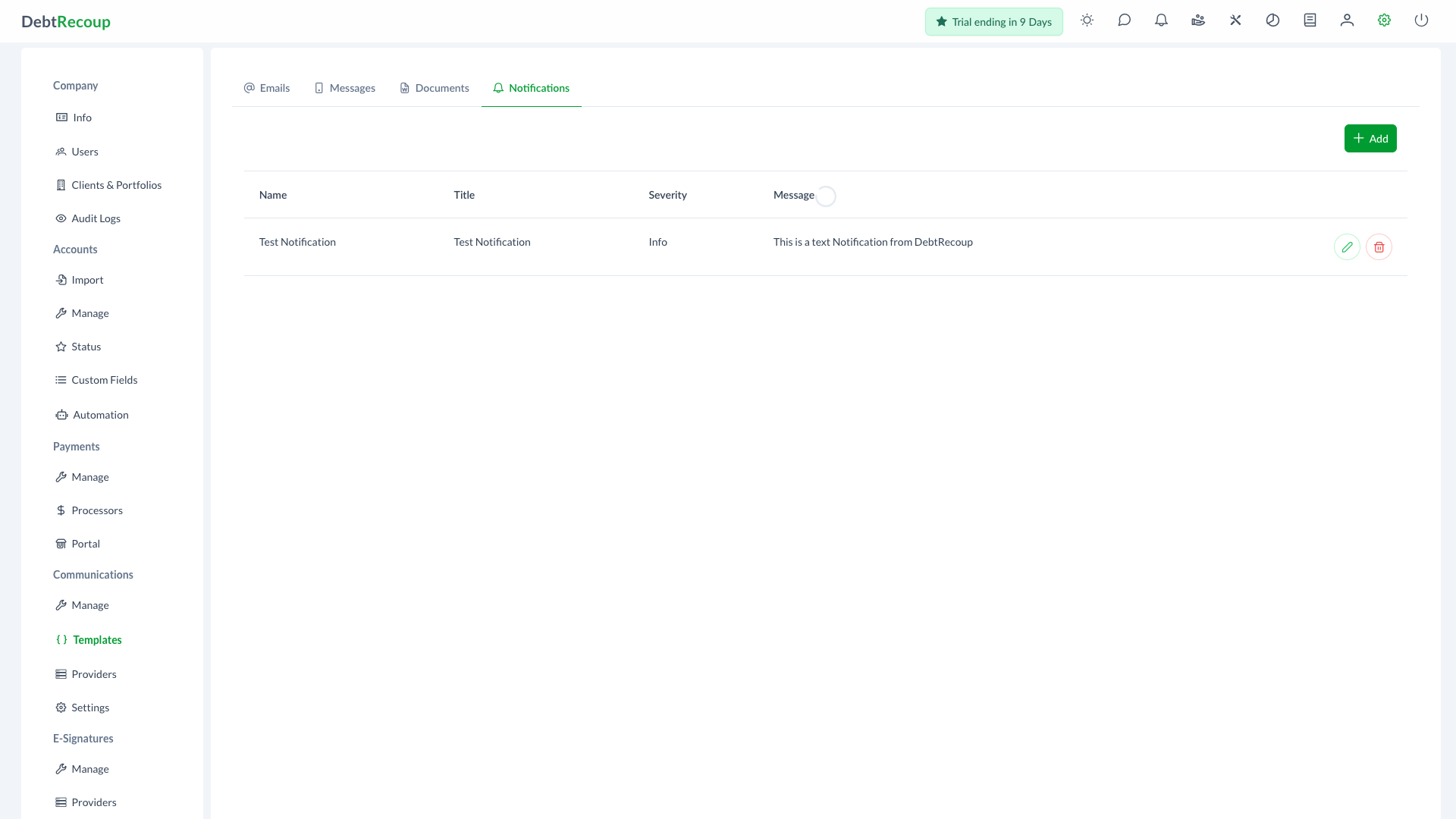
Notification templates define reusable messages for automation-driven notifications. They are managed from the Notifications tab on Administration > Communications > Templates.
Overview
Notification templates are separate from debtor-facing email and text templates. They are used with notification providers configured under Administration > Communications > Providers, such as Slack notification delivery.
Key Benefits
- Consistent Alerts: Standardize automation notifications across teams and channels
- Severity Control: Assign a severity level so recipients can understand the importance of the notification
- Dynamic Context: Insert account and workflow variables into notification messages
- Central Management: Edit notification copy without changing automation logic
Accessing Notification Templates
- Open Administration
- In the Communications section, select Templates
- Select the Notifications tab
Understanding Your Data
| Column | Description |
|---|---|
| Name | Internal template name used when selecting the template |
| Title | Notification title displayed to recipients |
| Severity | Display severity: Success, Info, Warning, or Error |
| Message | Notification body content |
Using This Feature
Creating a New Template
- Click Add
- Enter a Name
- Enter the notification Title
- Choose the Severity
- Compose the Message
- Insert variables by typing
{or by selecting a variable and clicking the plus button - Click Save
Editing Templates
- Locate the template in the Notifications list
- Click the pencil icon
- Update the name, title, severity, or message
- Click Save
Deleting Templates
- Locate the template in the Notifications list
- Click the trash icon
- Confirm the deletion
WARNING
Deleting a notification template can affect automation rules that reference it. Review related automation actions before removing a template.
Related Topics
- Providers - Configure notification providers
- Template Variables - Available variables for template content
- Email Templates - Manage email templates
- Text Templates - Manage SMS and MMS templates