Communication Providers
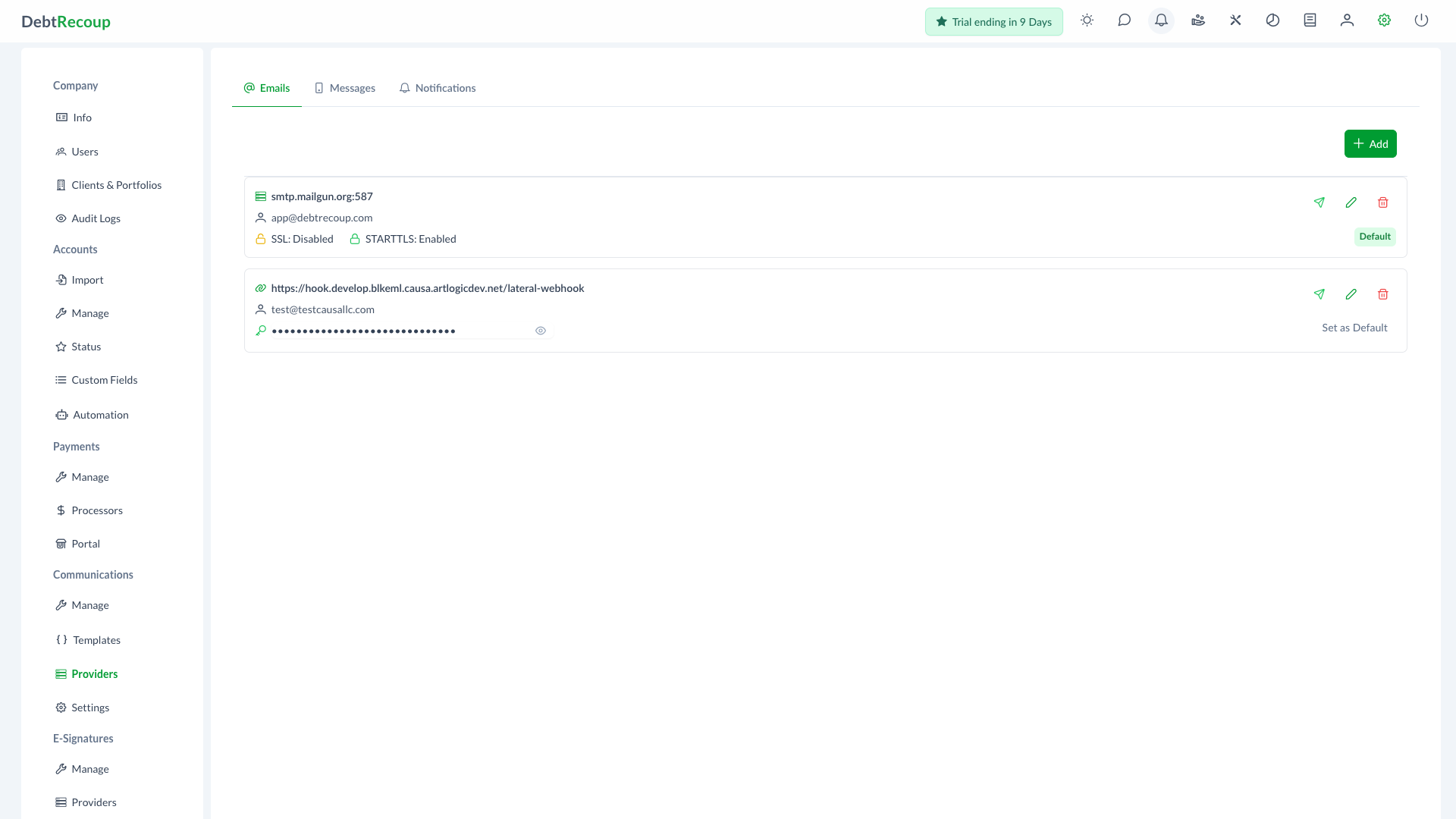
Communication Providers configure the services DebtRecoup uses to send emails, text messages, and notifications.
Accessing Providers
- Open Administration
- In the Communications section, select Providers
The Providers page has three tabs: Emails, Messages, and Notifications.
Emails
The Emails tab manages email provider configuration. Providers can be tested, edited, deleted, and set as the default provider when more than one provider is available. See Email Providers for setup details.
Messages
The Messages tab manages text message providers used for SMS and MMS delivery.
Supported message provider types include EZ Texting and Cloud Contact AI. Providers can be tested, edited, deleted, and set as the default provider. They are used when sending account messages and when automation sends SMS or MMS actions.
Notifications
The Notifications tab manages notification providers.
DebtRecoup includes an internal notification provider and supports Slack notification providers. New Slack providers are connected through Connect with Slack, then assigned to a Slack channel.
Notification providers can be used by automation actions that send notifications.
Default Providers
Where the interface offers Set as Default, future emails or messages use that provider unless another provider is selected for the specific action.
Related Topics
- Communication Settings - Call dispositions
- Email Templates - Email templates
- Triggers - Automation actions