Call Dispositions
Call dispositions allow you to track the outcome of phone calls with debtors. This feature helps document call results, keep phone number status accurate when a call is tied to an account phone number, and trigger automated workflows based on call outcomes.
What is a Call Disposition?
A call disposition is a classification of what happened during a phone call. It captures:
- Outcome - What was the result of the call (e.g., spoke with debtor, left message, wrong number)
- Direction - Whether the call was inbound, outbound, or available for both directions
- Phone status - Whether the account phone number is valid, disconnected, wrong, or needs another status, when the call is linked to that saved phone number
Logging a Call
You can manually log calls to document phone interactions with debtors.
From an Account
- Navigate to the account
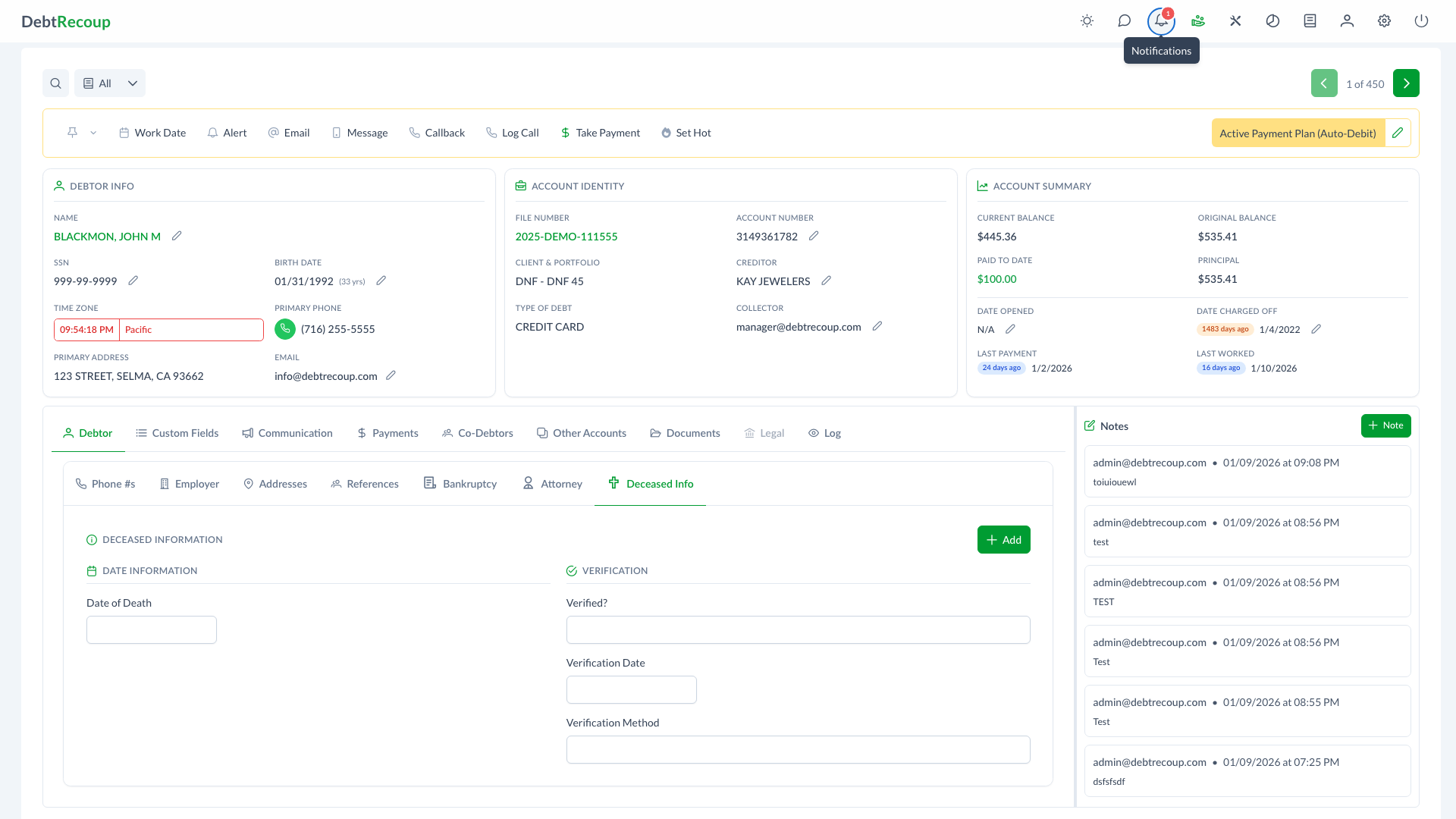
- Click the Log Call button
- Fill in the call details
Log Call Dialog
The Log Call dialog captures:
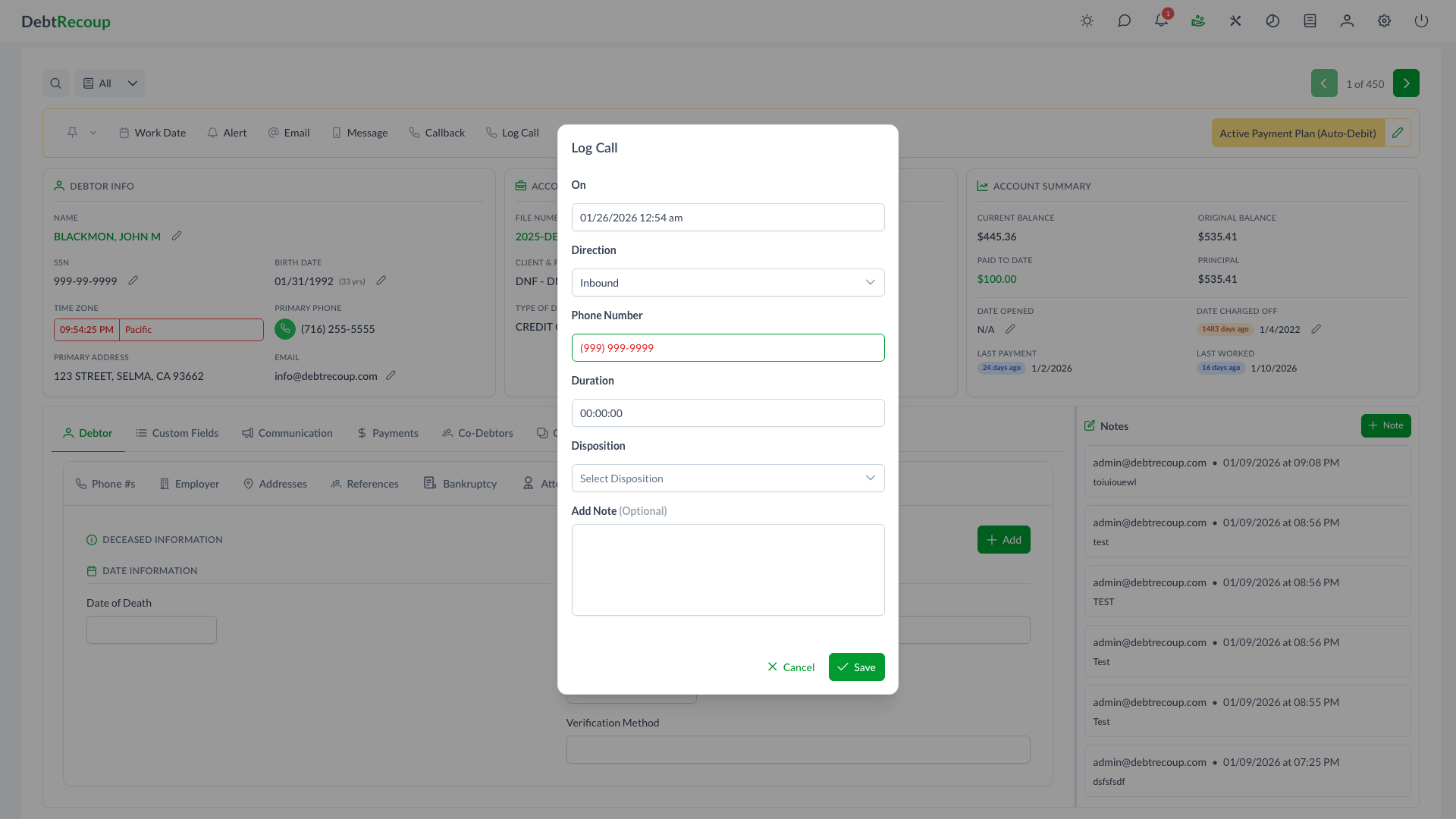
| Field | Description |
|---|---|
| On | Date and time of the call |
| Direction | Inbound, Outbound, or Transfer |
| Phone Number | The phone number used for the call |
| Duration | Length of the call (hours:minutes:seconds) |
| Phone Status | Current status of the saved phone number, shown only when the call is tied to an account phone record |
| Disposition | The call outcome classification |
| Add Note | Optional notes about the call |
When editing an existing call, the On, Direction, Phone Number, and Duration fields are read-only. You can update the disposition, the saved phone status when one is attached, and the optional note.
Phone Status Options
When a call is tied to an existing account phone number, you can update that phone number's status from the call dialog:
| Status | Description | Visual Effect |
|---|---|---|
| Good Number | Phone number is valid and reaches the debtor | Normal display |
| Wrong Number | Number belongs to someone else | Greyed out |
| Disconnected | Number is no longer in service | Greyed out |
| Other | Other status (needs review) | Greyed out |
Manual logs
Manual call logs entered from the account toolbar use the Phone Number field. The phone status choices appear when the call is connected to an existing account phone number, such as when reviewing or editing a call created from a saved phone.
Call Directions
Dispositions are categorized by call direction:
Outbound Calls
Calls you make to debtors. Examples:
- Spoke with debtor
- Left voicemail
- No answer
- Wrong number
Inbound Calls
Calls received from debtors. Examples:
- Payment inquiry
- Dispute
- Callback response
Both Directions
Some dispositions apply to either direction and appear in both lists.
Transfer Calls
Transfer calls can use any configured disposition.
Using Call Dispositions
Setting a Disposition
- Open the Log Call dialog
- Select the call Direction
- The Disposition dropdown will filter to show only relevant options
- Select the appropriate disposition
- Add any notes about the conversation
- Click Save
Disposition Descriptions
Each disposition includes a description to help you select the correct one. The description appears below the dropdown when a disposition is selected.
Integration with Triggers
Call dispositions integrate with the Automation system. The system evaluates the latest call on the account when checking call disposition conditions.
Trigger Events
- Last Call Disposition is Set - Fires when a call disposition is set on the latest call
Trigger Conditions
- Latest Call Disposition is - Filter accounts where the latest call has a specific disposition
Example Automation
Scenario: Automatically change status when a debtor is confirmed deceased via phone call.
- Create a trigger with event: "Last Call Disposition is Set"
- Add condition: "Latest Call Disposition is Set to" -> "Deceased"
- Add action: "Change Status to" -> "Deceased"
Call History
Logged calls appear on the account's Communication > Calls tab, showing:
- On date and time
- User
- Direction
- Number
- Duration
- Disposition, or Not Provided when no disposition was selected
Best Practices
Always Log Outcomes
Log every call with an appropriate disposition. This creates a complete contact history and enables accurate reporting.
Update Phone Status
When you discover a saved account phone number is wrong or disconnected, update the phone status immediately. This prevents wasted time on future call attempts.
Add Notes
Even brief notes about the conversation help other collectors understand the account history. Document payment promises, disputes, or important information shared.
Accuracy Matters
Select dispositions carefully - they may trigger automated actions and affect account status through the trigger system.
Common Dispositions
While your organization may have custom dispositions, common ones include:
| Disposition | Direction | Use When |
|---|---|---|
| Spoke with Debtor | Outbound | Had a conversation with the debtor |
| Left Voicemail | Outbound | Left a message on voicemail |
| No Answer | Outbound | Phone rang but no answer |
| Wrong Number | Both | Number doesn't belong to the debtor |
| Disconnected | Both | Number is out of service |
| Debtor Callback | Inbound | Debtor returned a previous call |
| Payment Inquiry | Inbound | Debtor asking about payment options |
Related Topics
- Automation - Set up triggers based on call dispositions
- Triggers - Create triggers that fire on call disposition events
- Good Numbers - Managing good-number accounts and phone status
- Notes and Alerts - Additional documentation options
- Call Backs - Scheduling follow-up calls