Co-Debtors
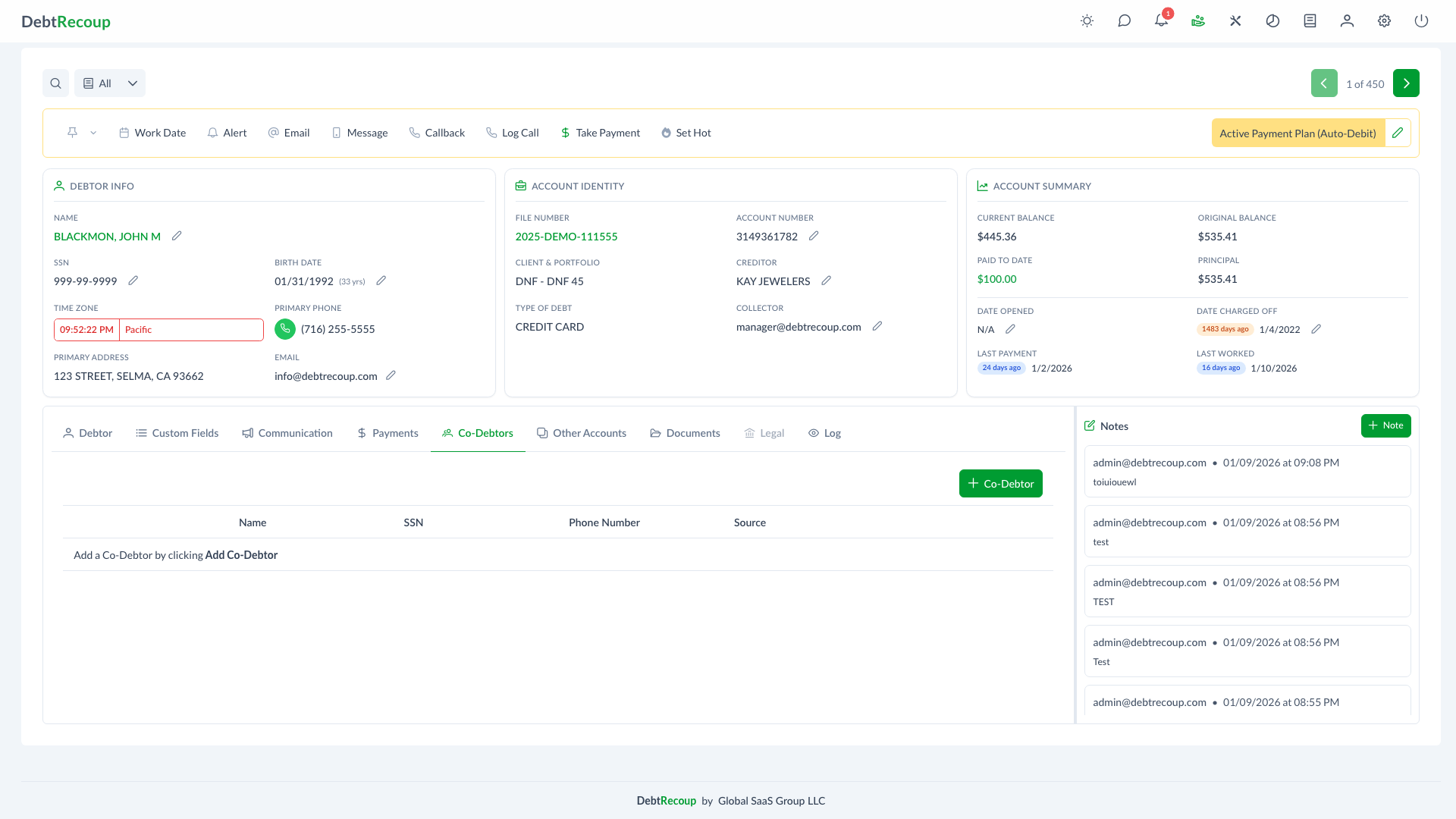
Overview
The Co-Debtors feature allows you to manage additional parties associated with a debt account. Co-debtors are individuals who share responsibility for the debt, such as co-signers, guarantors, or joint account holders. This feature provides a centralized view of all co-debtors linked to an account with integrated calling capabilities.
Key Benefits
- Comprehensive Contact Management: Maintain complete records of all parties responsible for a debt
- Integrated Calling: Initiate calls directly from co-debtor records with one click
- Source Tracking: Track where each co-debtor's information originated for compliance and verification
- Streamlined Workflow: Add, edit, and remove co-debtors without leaving the account view
Understanding Your Data
| Field | Description |
|---|---|
| Phone | Quick-dial button to call the co-debtor directly; disabled when no phone number is saved |
| Name | Full name of the co-debtor |
| SSN | Social Security Number (displayed masked for security) |
| Phone Number | Contact phone number for the co-debtor |
| Source | Origin of the co-debtor information (e.g., original creditor, skip trace, debtor provided) |
Using This Feature
Adding a Co-Debtor
- Navigate to the account's Co-Debtors section
- Click the Co-Debtor button in the toolbar
- Enter the co-debtor's information:
- Title (optional)
- First
- Middle (optional)
- Last
- Social Security Number (optional)
- Phone Number
- Click Save to add the co-debtor to the account
INFO
First name, last name, and phone number are required when adding a co-debtor. Phone numbers must contain 10 digits. Social Security Number is optional, but when provided it must contain 9 digits and cannot use all identical digits or the sequential value 123456789.
The Source field is automatically set by the system and cannot be edited. Manually added co-debtors are saved with a manual source; imported records may show file or external sources.
Editing a Co-Debtor
- Locate the co-debtor in the table
- Click the Edit button (pencil icon) in the Actions column
- Update the necessary fields
- Click Save to apply your changes
Calling a Co-Debtor
- Find the co-debtor you want to contact
- Click the Phone button in the first column
- The call dialog will open with the co-debtor's number pre-filled
- Confirm to initiate the call through your integrated phone system
Deleting a Co-Debtor
- Locate the co-debtor to remove
- Click the Delete button (trash icon) in the Actions column
- Review the confirmation dialog
- Confirm the deletion to remove the co-debtor from the account
WARNING
Co-debtors from file or external sources can only be deleted by supervisors or higher.
Source Tracking
The Source field indicates where the co-debtor information originated and is set automatically by the system. This helps maintain compliance and data integrity by recording the origin of each co-debtor record.
Best Practices
- Verify Information: Confirm co-debtor details before initiating contact to ensure compliance
- Document Sources: Always record the source of co-debtor information for audit purposes
- Keep Records Current: Update or remove co-debtor records as information changes
- Review Before Calling: Check account notes and status before contacting co-debtors
- Maintain Privacy: Handle SSN and personal information according to your organization's security policies