Charged Back
Payment Management
This page describes charged-back payments in Payment Management. For an overview of the payment status KPI buttons and common actions, see Manage Payments.
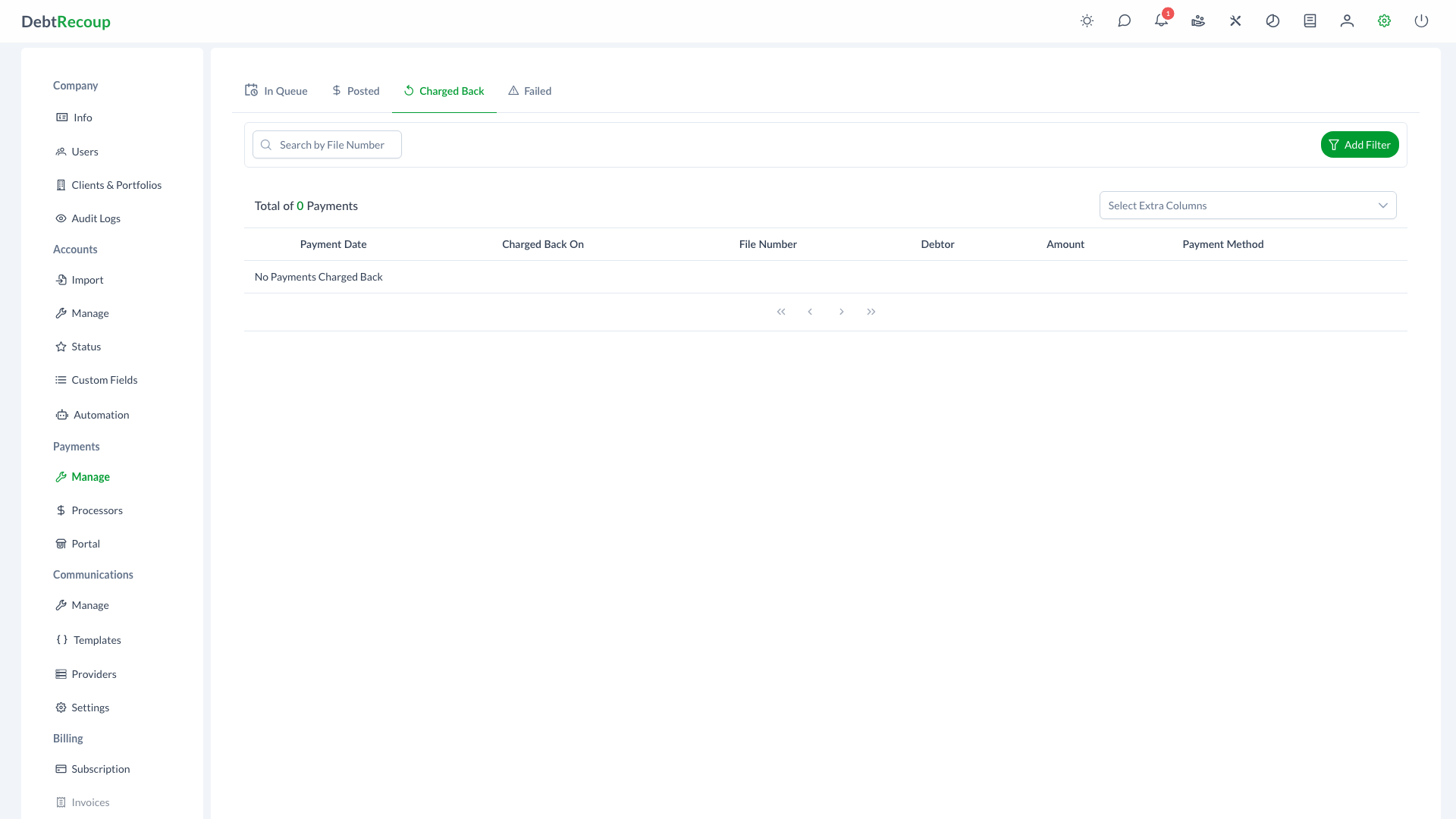
The Charged Back interface displays all payments that have been charged back after posting. This view helps administrators monitor and track payment reversals initiated by banks or payment processors, providing visibility into disputed transactions and their financial impact on accounts.
Overview
Chargebacks occur when a payment that was previously posted and applied to an account is reversed by the bank or payment processor. The Charged Back view provides a dedicated interface for monitoring these reversed payments and understanding their impact on your collection operations.
Key Benefits
- Centralized Tracking: View all charged back payments in one dedicated interface
- Financial Visibility: Monitor the total impact of chargebacks on your portfolio
- Quick Account Access: Click through to view affected accounts and their current status
- Audit Trail: Track when chargebacks occurred with precise date and time information
- Efficient Navigation: Paginated view with lazy loading for optimal performance
Understanding Your Data
| Column | Description |
|---|---|
| Payment Date | The original date when the payment was processed |
| Charged Back On | The date and time when the chargeback was recorded |
| File Number | The account file number (clickable to view account details) |
| Collector | Collector assigned to the account |
| Debtor | Name of the debtor associated with the account |
| Amount | The chargeback amount displayed in red to indicate the reversal |
| Payment Method | The original saved method label used for the payment |
Optional Columns
Use the column selector to display additional columns:
- Client: The client associated with the account
- Portfolio: The portfolio containing the account
- Current Balance: The account's current balance after the chargeback
- Payor Name: Name of the person who made the original payment
Using This Feature
Accessing Charged Back
- Open Management from the top navigation
- Select the Payments tab
- Select the Charged Back KPI button
Monitoring Charged-Back Payments
The interface displays chargebacks with 100 records per page using lazy loading for efficient data retrieval. Use this view to:
- Review recently charged back payments
- Identify patterns in chargebacks by payment method
- Track the timing between original payment and chargeback
- Monitor the financial impact on specific portfolios or clients
Viewing Chargeback Details
- Locate the chargeback you want to review
- Click the eye icon in the actions column
- View the complete payment details in read-only mode
The payment dialog displays:
- Original transaction information
- Payment allocation details
- Processing history
- Associated notes and documentation
Tracking Financial Impact
Monitor chargebacks to understand their effect on:
- Account balances (chargebacks restore the original balance)
- Client remittances (commissions may need adjustment)
- Portfolio performance metrics
- Collection team results
Best Practices
Review Promptly
- Check the Charged Back view regularly
- Investigate patterns that may indicate systemic issues
- Address recurring chargebacks from specific payment methods
Document Everything
- Record notes about chargeback reasons when known
- Maintain records for dispute resolution
- Track communication with debtors about charged back payments
Follow Up on Accounts
- Contact debtors regarding failed payments when appropriate
- Update payment arrangements if needed
- Consider alternative payment methods for repeat issues
Analyze Trends
- Monitor chargeback rates by payment type
- Identify high-risk payment patterns
- Adjust authorization procedures as needed
Compliance Considerations
Documentation Requirements
Maintain proper documentation of all chargebacks for regulatory compliance and audit purposes. This includes the original payment details, chargeback reason, and any follow-up actions taken.
- Ensure timely updates to account records
- Follow proper dispute procedures for contestable chargebacks
- Maintain accurate balance information for debtor communications
Related Topics
- Manage Payments - Overview of payment status KPI buttons and common actions
- Payment Queue - Manage payments waiting to be processed
- Posted Payments - View successfully processed payments
- Failed Payments - Handle payment processing errors
- Payment Processors - Configure payment processing
- Payment Processing - Enter and process payments
- DC IT Reports - Payment performance metrics